The world's leading
uptime monitoring service.
Get 50 monitors with 5-minute checks totally FREE.
Start monitoring in 30 seconds


All you really care about
monitored in one place.

Website monitoring
Be the first to know that your website is down! Reliable monitoring warns you before any significant trouble and saves you money.

SSL monitoring
Don't lose visitors because of an expired SSL certificate. Get notified 30, 14 and 7 days before expiration.

Domain expiration monitoring
Keep your online presence secure and avoid any potential damage by monitoring your domain's expiration date.

Cron job monitoring
Also known as heartbeat monitoring. Monitor recurring background jobs or intranet devices connected to the internet.

Port monitoring
Is the email service still UP? How about the critical database server? Let's check! Monitor any specific service running on any port.

Ping monitoring
Leverage one of the most used tools administrators use to check the availability of network devices.

Keyword monitoring
Use keyword monitoring to check presence or absence of specific text in the request's response body (typically HTML or JSON).
Advanced features for advanced users.
Share incident updates
Send status updates via email to your Status page subscribers.
White-labeled Status pages
Customize colors, add your logo or even link your custom domain.
Response time monitoring
See your response times in a chart to reveal performance hiccups.
Maintenance windows
Set up maintenance windows to prevent alarms during planned maintenance.
Custom HTTP requests
Need to set an advanced HTTP header? We've got you covered!
Multi-location checks
We verify incidents from multiple locations to prevent false-positives.
Downtime happens.
Get notified!
Downtime happens even to the best of us. But it’s important to know it before customers are affected!


SMS

Voice call

Slack

Zapier

Telegram

Webhooks

Discord

Microsoft Teams

Keep monitoring everywhere you go.
Get instant notifications, manage monitors and check your uptime statistics on the go.


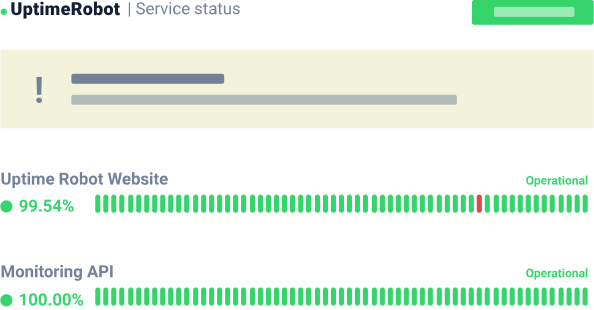
Inform your customers about incidents with status pages.
Be transparent. Inform customers of planned outages. Show them that you strive to keep your service 100% online.

Add your team members to keep them notified.
You can invite all your team members to access your monitors, keep them notified and manage incidents. Choose from three levels of user access: read, write and notify-only.

It's the most simple and easy monitoring app I know and it's made my daily life much easier.
I use UptimeRobot to get push notifications whenever my website goes DOWN. It's really easy and quick to set up and requires no extra changes to your website.
 @marckohlbrugge, maker of BetaList.com, StartUp.jobs and others
We strive for minimal downtime, but if something goes wrong UptimeRobot makes sure that we know about it quickly. We switched to using UptimeRobot years ago as they offered the same services we were getting from a different provider but at a fraction of the cost.

I've been using UptimeRobot for years as a cost-effective way to quickly alert me when my sites were down - and when they were back up.
 @levelsio, maker of NomadList.com, RemoteOK.io and others
 ~ Steve "ardalis" Smith, Software Architect
Flexible pricing options.
Free.

- 😐5 min. monitoring interval
![Included]() HTTP, port & ping monitor
HTTP, port & ping monitor![Included]() Keyword monitor
Keyword monitor![Not inncluded / Not available]() SSL & Domain exp. monitor
SSL & Domain exp. monitor- 😐Only 5 integrations
- 😐Basic status pages
- Notify seats unavailable
- No login seats available


Solo.
- 60 sec. monitoring interval
- HTTP, port & ping monitor
![Included]() Keyword monitor
Keyword monitor- SSL & Domain exp. monitor
- 🙂Only 9 integrations
- 😐Basic status pages
- Notify seats available
- No login seats available

Team.

- 60 sec. monitoring interval
- HTTP, port & ping monitor
![Included]() Keyword monitor
Keyword monitor- SSL & Domain exp. monitor
- All 12 integrations
![Included]() Full-featured status pages
Full-featured status pages- 3 notify seats incl.
- 3 login seats incl.

Enterprise.

- 30 sec. monitoring interval
- HTTP, port & ping monitor
![Included]() Keyword monitor
Keyword monitor- SSL & Domain exp. monitor
- All 12 integrations
- Full-featured status pages
- 5 notify seats incl.
- 5 login seats incl.
Get your FREE account now,
50 monitors included!
Start monitoring in 30 seconds