Keyword changes rarely break things outright, but they signal trouble early. Rankings slip, branded terms disappear, or a competitor jumps ahead before traffic drops show up in analytics. By the time revenue moves, the window to react is smaller.
This article looks at real keyword monitoring use cases teams rely on day to day. Tracking SEO regressions, spotting SERP volatility, protecting brand terms, and validating changes after deploys or content updates. It’s based on how teams connect keyword signals to actual business impact.
You’ll see when keyword monitoring helps, what to watch for, and how to act on changes without overreacting to noise. If search visibility matters to your growth, these use cases show where monitoring pays off.
What Is UptimeRobot’s Keyword Monitoring
In our context, ‘keyword monitoring’ is best described as ‘HTML string monitoring,’ or ‘content changes monitoring’.
Our tool scans for your chosen word or phrase in the website’s HTML code. It is important to note that if the text is rendered through JavaScript, we will not be able to detect it.
Beyond the usual applications like improving your website’s overall uptime and safeguarding it from unauthorized content changes and hackers, this tool can serve a variety of other interesting purposes.
So, before we show you how to use our free keyword monitoring tool, what are the potential ways you can benefit from it?
1. Protect Against Unauthorized Content Changes & Hackers
UptimeRobot checks the HTML of your website to see if a specific word or phrase is still present. This is especially useful in the context of safeguarding against unauthorized content changes and potential hacking attempts.
If someone alters your website’s content while the site itself remains accessible, UptimeRobot will still alert you.
2. Prevent Downtime Caused by Faulty Plugins
Another helpful way to use keyword monitoring is the detection of downtime issues, particularly those caused by potential issues with WordPress plugins.
Sometimes, conflicts between plugins or updates can cause your website to display just a blank page, making it unavailable for users despite appearing to be online in basic checks.
UptimeRobot can alert you in such cases, allowing you to quickly identify and resolve the issue, preventing downtime and keeping bounce rates low.
3. Monitoring Out-of-Stock Items
Using keyword monitoring tools like UptimeRobot allows you to keep an eye on products that are currently out of stock.
You can easily set up alerts for phrases such as ‘in stock now’ on your chosen webpage, and strike while the iron is hot.
So if you’re anticipating the release of a popular new game or the hottest console on the market, check out our guide on how to set up back-in-stock notifications.
NOTE: Please, keep in mind that this works only with certain shops that include the keyword in HTML code.
4. Tracking Prices of Stocks and Cryptocurrency
Financial enthusiasts can benefit greatly from keyword-tracking tools for monitoring changes in stock or cryptocurrency prices.
By configuring keyword alerts on financial news sites or stock market platforms, you can be notified as soon as relevant keywords like ‘price drop’ or ‘new high’ appear.
This is a comprehensive way to monitor rankings and fluctuations in financial markets. Given how fast the crypto world moves, you’re sure to benefit from a little extra help.
5. Job Hunting
When it comes to job hunting, keyword monitoring can offer an edge in keeping up with the latest opportunities.
If you’re in the market for a new job, set up keywords on job-hunting sites for job titles, position requirements, and even company names.
This tactic goes beyond merely browsing through search engine results pages and allows for a more tailored keyword tracking strategy aimed at your career goals, saving you precious time in the search for your next big break.
6. Government Announcements
The utility of keyword monitoring software isn’t just for commercial or personal uses, it’s equally as useful for staying informed about government actions.
Monitoring local or federal government websites with a keyword-tracking tool lets you track policy changes, public notices, or emergency alerts.
Unlike standard search queries, this proactive approach helps you monitor rankings of essential announcements, ensuring you don’t miss out on important information.
7. News Monitoring
Whether you’re into content marketing or simply a news junkie, you can follow the latest news headlines with keyword monitoring.
Keep track of current events by setting up alerts for breaking news or articles containing relevant keywords.
This turns you into an active monitor of the news, from the sources you trust most, far beyond what social media channels alone can offer.
8. Real Estate Monitoring
It’s no secret that the housing market is, well, less than stellar at the time of writing.
Using a keyword rank tracker makes monitoring real estate both simpler and more effective especially when combined with data platforms and sites like PropStream that offer deep insights into property trends, ownership details, and market movements
Alerts for new properties matching specific area codes or price brackets can be set up, offering a more organized approach than simple web browsing.
This allows for the collection of extensive keyword data relevant to your property search, and can help you get into your dream home in a highly competitive/low inventory market!
9. Monitoring Online Marketplaces
Love shopping from the comfort of your couch for the best deals? Keyword monitoring can turn you into a savvy consumer.
Tracking auctions or marketplace listings through keyword monitoring allows you to receive alerts for new items you’d like to buy.
So don’t waste time scouring your favorite pages, let your keyword monitor do the work for you.
10. Academic Research
For scholars and researchers, monitoring academic journals can be just as crucial as businesses monitoring keywords for SEO efforts.
Utilizing keyword monitoring allows you to set alerts for new publications containing your research keywords in academic databases.
This way, you stay ahead of the curve in your field, gaining immediate access to new studies or articles relevant to your research.
It not only keeps you informed but also provides you with valuable resources that can aid in your own academic work.
TIP: Try using FREE AI tools like ChatGPT or Perplexity for your research.
For a deeper dive into AI tools that enhance website security, Cybernews has an insightful article on the best AI tools to help detect unauthorized content changes, protect against cyber threats, and improve your digital security strategy.
11. Competitor Analysis
For those invested in business, competitor analysis is vital for keeping ahead. Keyword monitoring tools allow you to track keywords your competitors are targeting.
Alerts can be set up for mentions of competitor names, product releases, or any relevant keywords that would indicate a shift in search engine competition.
This information is helpful for refining your own business (or SEO) strategy and understanding key metrics that impact your market positioning.
12. Health and Wellness Information
If you’re interested in health trends or medical advancements, keyword tracking tools can keep you informed.
Configure alerts for specific keywords related to a medical condition, wellness tips, or breakthrough research.
This method is more effective than combing through social media channels or relying on search engine results, as it provides timely alerts that are directly related to the topics you’re interested in.
13. Entertainment and Media
Whether it’s a movie release, a new album drop, or a trending TV series, keyword monitoring can keep you in the loop.
Set up keyword tracking for names of artists, shows, or specific genres, and receive alerts as soon as new information becomes available.
This adds a layer of specificity beyond social media monitoring tools, letting you capture even the most niche news in the entertainment world, and keep up with the Kardashians like never before 😉
14. Monitoring Product Reviews and Customer Feedback
Understanding how customers feel is critical for both businesses and content marketers.
With keyword monitoring tools, real-time alerts about brand-associated reviews or specific terms become accessible very quickly after they’re posted.
Such a strategy provides a deeper level of insight than what typical brand monitoring offers, enabling adjustments to products based on the most recent customer opinions.
15. Tracking Legal and Regulatory Changes
In some industries, new regulations and legislation come out that affect day-to-day operations or future plans.
With keyword monitoring, you can track changes in legal requirements or guidelines relevant to your industry.
Setting alerts for specific terms like ‘new regulation’ or ‘amendment,’ you can stay ahead of the curve and adjust your operations accordingly.
How to Use UptimeRobot’s Keyword Monitoring
So what’s it all about? Basically, keyword monitoring/search term tracking can be described as setting up alerts for target phrases or words that you want to follow across multiple web pages or JSON files.
How to Set Up a Keyword Monitoring
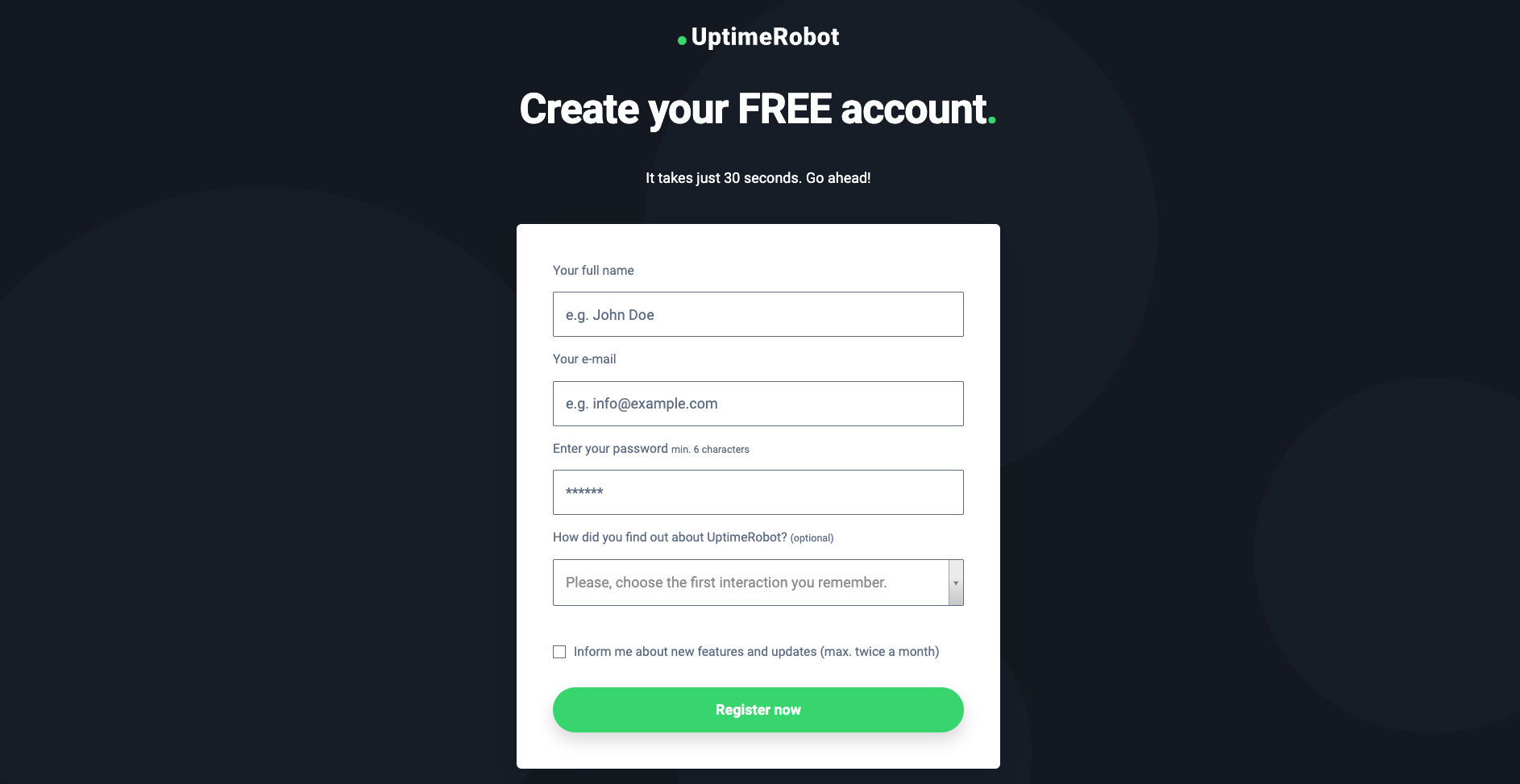
Step 1: Create an Account
- If you haven’t done so already, sign up for a free account with UptimeRobot.
Step 2: Navigate to Keyword Monitoring
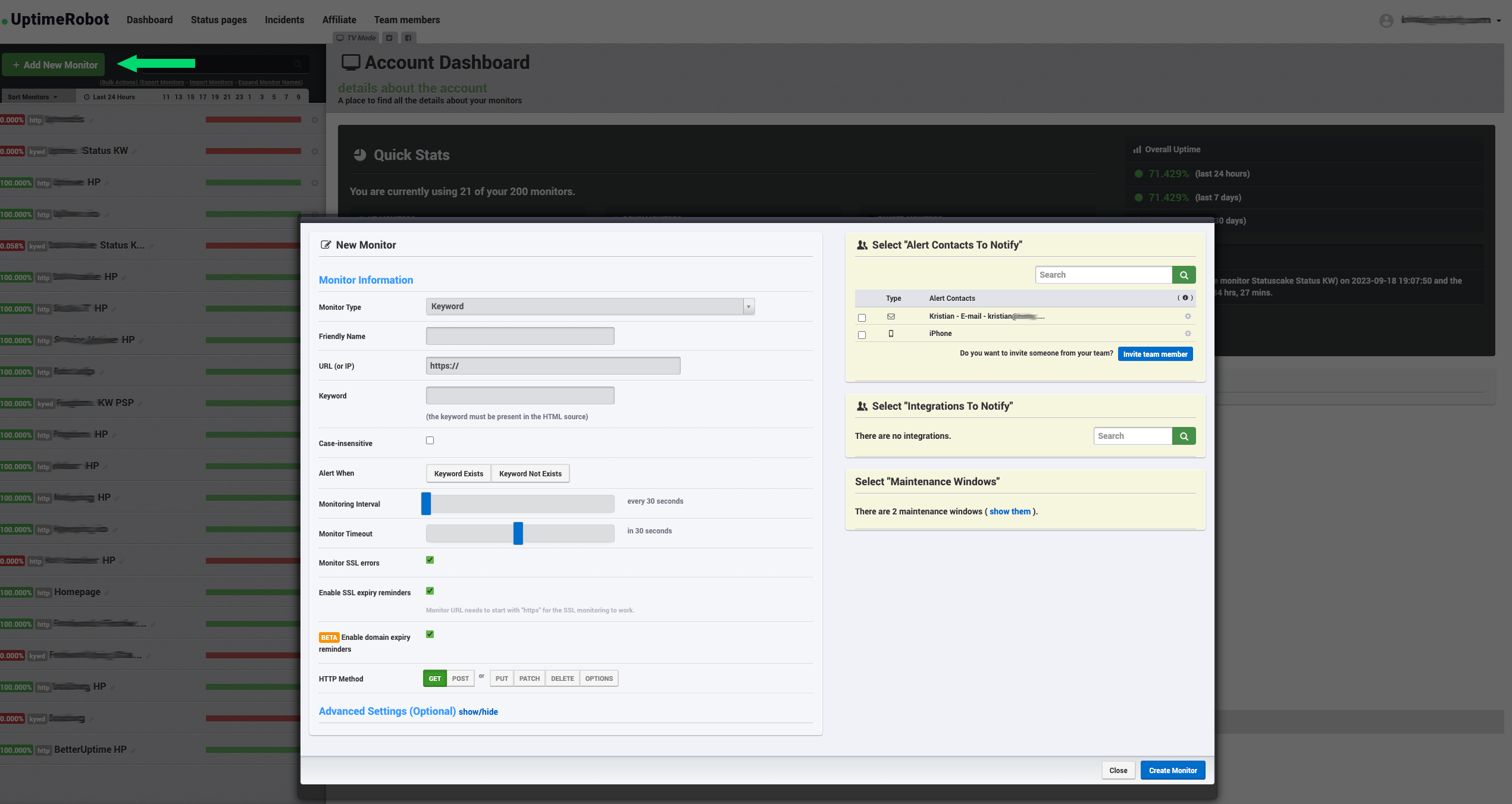
- After logging in, navigate to the dashboard and click the green button on the left side called ‘Add new monitor’.
- Then in the monitor type drop-down menu, choose ‘Keyword’.
Step 3: Choose Web Pages for Monitoring
- Here, you’ll input the web page where you want to monitor keywords. You can monitor anything from social media platforms to academic journals.
- Put the website, XML, JSON, etc. you’d like to monitor in the URL field.
Step 4: Select Your Target Keywords
- Enter the target word or phrase you’d like to track in the ‘keyword’ field.
- Note that the keyword must be present in the HTML source – right-click on the website -> View Page Source.
TIP: Read our more detailed blog about how to set up back-in-stock monitoring.
Step 5: Set Up Alerts
- Customize how you’d like to be notified when your target keywords appear or disappear.
- Options include personal notification channels – Email, SMS, Voice call, push notification, or notifications via social media and DevOps channels like Slack, Discord, MS Teams, Google Chat, Pushover, Pushbullet, Zapier, and others.
Step 6: Monitor and Analyze
- After setting up, UptimeRobot will monitor these pages for you. All you have to do is act when the time is right!
When Keyword Monitoring Solves Problems Other Checks Miss
Keyword monitoring fills a gap that uptime and status codes cannot. It answers a simple but powerful question: does the page show what users expect to see right now?
This matters when a page loads fine but is still broken. A 200 response does not guarantee the right content rendered. CMS failures, partial deploys, template errors, or upstream API issues can strip key text while the page stays “up.” Keyword checks catch that silent failure.
One common use case is validating critical UI states. Login pages should show a login form. Checkout pages should show a payment step. If a keyword disappears or an unexpected one appears, the user journey is blocked even though availability looks green.
Keyword monitoring also helps detect soft errors. Maintenance messages, rate-limit notices, or generic error banners often return 200 responses. From a user perspective, the site is down. Keyword checks that look for known error phrases catch this faster than status-only monitoring.
Content-driven sites benefit too. If a homepage headline, pricing text, or legal disclaimer vanishes after an update, that can have real business impact without triggering any technical alerts. Keyword monitoring adds a content integrity layer on top of basic uptime.
Another practical use is third-party dependency validation. Pages that rely on external services may load fallback text or placeholders when those services fail. Watching for those keywords helps you detect partial outages tied to dependencies.
It is also useful during deploys. Adding a temporary keyword check around release windows confirms that the expected version is live. If the old keyword persists or a new one never appears, something went wrong in rollout or caching.
Keyword monitoring is not a replacement for functional testing. It does not click buttons or submit forms. It works best when you choose stable, meaningful text that represents success or failure clearly.
Used well, keyword monitoring turns “the page is technically up” into “the page is actually usable.” That distinction catches issues users notice immediately but traditional monitors often miss.
Keyword Monitoring: Your Key to Digital Savviness
The applications of keyword monitoring are as varied as they are invaluable, impacting numerous facets of our daily lives and professional endeavors.
With UptimeRobot’s easy-to-use keyword monitoring feature, you can not only improve your digital acumen and save time but also stay updated on a host of subjects that matter to you, from breaking news and job openings, to competitor analysis and customer feedback.
Whether you’re a job seeker or someone who just loves staying in the know, keyword monitoring can be your window to the information that matters most to you.
How will you use keyword monitoring? Let us know in the comments or sign up today!
FAQ’s
What is keyword monitoring?
Keyword monitoring checks whether specific words or phrases appear (or disappear) on a webpage. It’s commonly used to detect content changes, error messages, or unexpected page states. Instead of just checking availability, it validates what the page actually shows.
How is keyword monitoring different from basic uptime checks?
Basic uptime checks only verify that a page responds. Keyword monitoring confirms that the correct content is present. A page can return a 200 status and still be broken, which keyword checks help catch.
What are common use cases for keyword monitoring?
Common use cases include detecting maintenance pages, login errors, failed deployments, missing content, or compliance text changes. It’s also used to confirm that critical messages or elements remain visible. Teams often use it for both frontend and API responses.
Can keyword monitoring detect partial outages?
Yes. Partial outages often show error messages, empty states, or fallback content while the site remains technically up. Keyword monitoring can flag these conditions even when uptime checks pass.
What causes false alerts in keyword monitoring?
False alerts usually come from dynamic content, personalization, or A/B tests that change page text. Monitoring overly generic keywords can also cause noise. Choosing stable, specific keywords reduces false positives.